Set it once · it runs without you

Set it once. It makes your videos forever.

ClipWill picks the topic, writes the script, finds the footage, cuts it and makes the thumbnail on its own. You choose a niche once - it ships videos every day without you opening it again. From $0.78 a video.

ClipWill · assistant Straight to the cabinet →

What are we making?

Nothing to install. The card is asked only when your first video starts - $0 for the first 7 days, cancel any time.

Ready to post on YouTube Shorts TikTok Instagram Reels

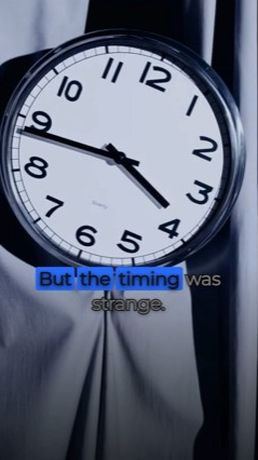
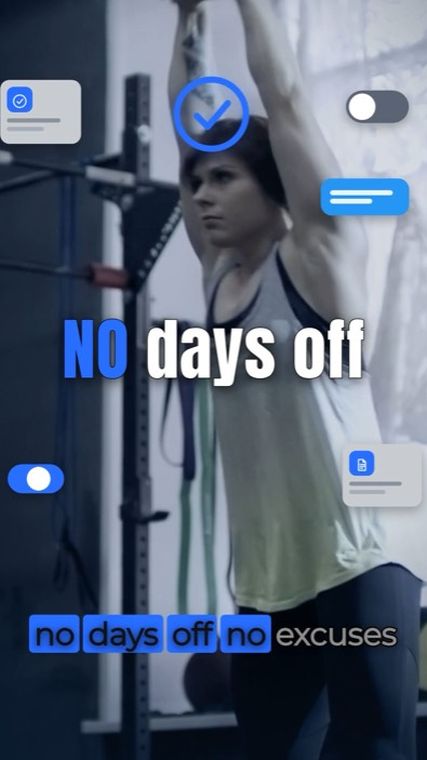
Real frames from videos this engine produced. Not mockups.

You touch it once. It runs forever.

There is no editor to open, no timeline to drag, no queue to babysit. Setup takes about four minutes and it is the last time you are involved.

Once · ~4 minutes

What you do

01
Pick a niche

Finance, sport, tech, ecommerce - or describe your own in a sentence.

02
Pick the format and cadence

9:16 or 16:9 for the channel. One a day or ten. Change it later or never.

03
Collect the videos

Finished files land in your library, ready to download and post. Posting straight to your channel is coming soon.

That is the whole job. From here you are a spectator.

Forever · every single day

What ClipWill does

  • ✓Chooses the topic from what is working in your niche
  • ✓Writes the script - hook, body, close
  • ✓Voices the script with your channel’s narrator, the same every time
  • ✓Finds real footage for every line and checks the match
  • ✓Times the cuts to the delivery
  • ✓Burns the captions word-synced
  • ✓Designs the thumbnail and picks the frame
  • ✓Writes title and description
  • ✓Renders 9:16 or 16:9 - the format you picked
  • ·Queues and publishes on schedule Soon
  • ·Reads retention after each one Soon
  • ·Adjusts the next one on its own Soon

Nobody opens an editor. Not you, not a freelancer, not a VA. The output shows up finished.

Real footage first. A look you choose.

Two things make a faceless video look cheap: shots that miss the words and an edit that looks like everyone else’s. This is how the engine handles both.

Footage for line 4auto-picked
1Indexed librarySEARCHED FIRST · MATCH FOUND
2Pexels & Pixabay stockIF THE LIBRARY HAS NOTHING
3Generated shotONLY IF YOU TURN IT ON


Real footage, in three tiers

Its own indexed library first, then Pexels and Pixabay stock, and a vision model checks every pick against the line. Generated shots only if you turn them on - up to 8 a video, at a small extra cost.

Archive
Editorial
Mascot

Three montage styles

Archive puts footage on paper cards with pencil arrows. Editorial runs large type with footage in thin frames. Mascot explains with two characters and icons. One per channel, your pick.

Thumbnail & titleauto-made
Here’s the exact math on a millionTITLE · WRITTEN AND PICKED BY CLIPWILL

It makes the thumbnail and the title

Frames are pulled from the render, ranked, captioned and paired with a title - the last two things people usually still do by hand.

The whole job, done by the machine

Everything a person would normally do between “we need a video” and a finished file ready to post. None of it needs you.

You never hand it a brief. It reads what is moving in your niche, picks the angle and writes a piece that opens on a hook, holds a question in the middle and closes so the next video gets watched.

You pick the narrator once from 14 voices, or keep the default. It is then locked, so a channel sounds like one person across a thousand videos instead of a different one each week.

Every line is matched against an indexed library of real filmed clips, then against licensed stock, and a vision model checks the pick. Real frames, so nothing melts and nothing needs fixing afterwards. A generated shot is used only if you allow it and nothing real fits.

Cuts paced to the delivery in one of three montage styles, word-synced captions burned in, and a 28-60 second render in 9:16 or 16:9 - whichever the channel is set to. Both formats from one script is coming soon.

Frames pulled from the render, ranked and captioned into a thumbnail, paired with a title and description. You download the finished video; posting to your channel on a schedule is coming soon.

Retention on every published video feeds back in. Hooks that lose people get dropped, pacing that holds gets reused - without anyone reading a dashboard.

An API, an MCP server for AI agents and a CLI are in the works: post a topic, get a webhook when the render is done.

What runs on its own, every video
01

Topic

Picked from what is working in the niche.

02

Script + voice

Written, then read by the locked narrator.

03

Footage + cut

Real clips matched line by line, then paced.

04

Thumb + title

Thumbnail, title and description, ready to post.

Footage library - real shots, checked before the cut
Frame from a finance video
Frame from a tech video
Frame from a business video
Frame from a fitness video
9:16 or 16:9 - one format per channel
9:16
16:9

Vertical for Shorts, Reels and TikTok, or horizontal for the channel page. Both from one script - coming soon.

Coming soon - drive it from your own code
// queue a video POST /v1/videos { "topic": "why index funds beat stock picking", "format": "9:16", "voice": "atlas" } // webhook when the render lands { "status": "ready", "url": "…/render.mp4" }

Automated, but it doesn’t look automated

Most hands-off video tools are text-to-video: every pixel is invented, so hands melt, logos garble and the whole thing reads as synthetic in the first second. ClipWill automates the other way round - it writes the script first, then cuts real filmed footage to it.

Text-to-video tools

  • ✕Every frame is invented, so artifacts are the default state
  • ✕Dollars per clip, so volume is where the bill explodes
  • ✕You still pick the topic, the voice, the thumbnail and the title
  • ✕Every video is a session you have to sit through

ClipWill

  • ✓Real filmed footage matched to every line - generated shots only if you turn them on
  • ✓From $0.78 a video at volume, so a hundred a week is a normal week
  • ✓Topic, voice, thumbnail and title all chosen by the engine
  • ✓You set it up once and never sit through anything
3 settings
niche, format, cadence - the entire amount of input the engine ever needs
0 minutes
of human work per video after setup - no editor, no VA, no review queue
$0.78
per finished video on Scale, thumbnail and title included
500+
finished short videos this engine has already cut, thumbnail and title included
MADE BY THE ENGINE

Three styles for shorts. Long videos for the channel page.

Shorts in three montage styles and long videos for the channel page, in English and Russian. Every clip below is a finished render: the topic, the script, the voice, the footage and the cut. Pick a lane.

Money Mascot
The One Rule That Stops Impulse Spending9:16 · 0:28
Science Long video
If we drained the ocean: what the sea floor hides16:9 · 13:42 · RU
Money Editorial
The One Rule: Pay Yourself First9:16 · 0:28
History Long video
The Nazca lines: drawings you can't see from the ground16:9 · 17:39 · RU
Money Archive
The Emergency Pet Vet Nail Clip9:16 · 0:36
Nature Long video
Lions, kings of the savanna16:9 · 24:43 · RU
Nature
Lions, kings of the savanna: the pride9:16 · 0:52 · RU
Money Long video
Why you spend more when you pay by card, and never notice16:9 · 12:04 · RU

DRAG OR SCROLL · TAP A CLIP TO WATCH IT WITH SOUND

NONEhuman input per video
REALfilmed footage, auto-picked
AUTOthumbnail, title, description
9:16 or 16:9one format per channel

A finished video for less than a coffee’s worth of cents

You are not paying for a seat or a subscription per editor. You pay per finished video - thumbnail and title included - and the price goes down as you make more.

Comparison figures are typical market ranges for one finished short-form video, not quotes. ClipWill figures are our published plan prices.

ClipWill, on Scale$0.78
ClipWill, on Starter$1.23
Text-to-video credits$3-10
Freelance short-form editor$25-60
Agency or in-house$120+

Priced per video, not per seat

Every plan runs the same engine. A video is 28-60 seconds, in 9:16 or 16:9, and its price covers the topic, script, voice, real footage, cut, captions, thumbnail, title and description. Plans differ in how many videos you get a month. Unused videos carry over while you keep using them and expire after 30 days without use.

Fits your setup

Starter

For one channel or testing a niche - about one video a day

$49 /mo
40 VIDEOS · ≈$1.23 EACH
  • Videos of 28-60 seconds, 9:16 or 16:9
  • Script, voice, real footage, cut and captions
  • Thumbnail, title and description
  • 14 narrator voices, 3 montage styles
  • Several channels on one account
  • Email support
Start free

$0 for the first 7 days · cancel any time

Fits your setup

Studio

Best value

For a steady stream on one brand - five videos a day

$149 /mo
150 VIDEOS · ≈$0.99 EACH
  • Everything in Starter
  • Publishes to your channel on schedule Soon
  • Retention feedback loop Soon
  • Your own narrator voice Soon
  • API, MCP server and CLI Soon
Start free

$0 for the first 7 days · cancel any time

Fits your setup

Scale

For several channels or an agency - up to 16 videos a day

$390 /mo
500 VIDEOS · ≈$0.78 EACH
  • Everything in Studio
  • Your own footage bank Soon
  • Priority render queue Soon
  • Shared Slack channel Soon
Start free

$0 for the first 7 days · cancel any time

Need more than 500 a month? Write to support@clipwill.com - we price that per engine.

Questions people actually ask

Text-to-video models invent every pixel, which is why hands melt and logos garble. By default ClipWill writes the script first, then cuts real filmed footage to match each line, and a vision model checks each match. Generated scenes appear only when you ask for them: as a fallback when nothing real fits, or in AI video mode for Shorts, where every scene is generated and the characters stay the same from start to finish. The cost per video is cents rather than dollars.

None. Setup is three settings - niche, format and cadence - and takes about four minutes. After that the engine picks the topic, writes the script, voices it, finds the footage, times the cuts, burns the captions, designs the thumbnail and writes the title. Finished videos land in your library, ready to download and post. You do not open an editor again.

From $0.78 per finished video on the Scale plan, $0.99 on Studio and $1.23 on Starter. That price includes the thumbnail and the title. You pay per video, not per seat. Unused videos carry over while you keep using them and expire after 30 days without use.

28 to 60 seconds - the length of a Short. The engine writes the script to fit that time. Videos several minutes long are coming soon.

No. Every line of the script is matched against an indexed library of real clips, then licensed stock, and a vision model checks the pick. You choose the narrator once from 14 voices, and it stays locked so the channel sounds like one person. You can steer what appears on screen in plain words, but you never pick a clip yourself.

9:16 for Shorts, Reels and TikTok, or 16:9 for the channel page - one format per channel. Both formats from the same script is coming soon. Cadence runs from one video a day to ten. Ten a day is about 300 videos a month, which fits in a Scale plan.

Yes. Setting up the channel is free and needs no card. The card comes only when you start the channel, so it does not stop the moment the week ends, and the first 7 days are $0 on any plan. The payment date and amount are shown before you add the card and in Billing. Cancel before day 7 and nothing is charged.

Soon. An API, an MCP server for AI agents and a CLI are in the works: post a topic, get a webhook when the render is done. For now videos are made from your account.

Four minutes now, then never again

Set it up today. Collect videos for years.

Pick a niche, pick a cadence, walk away. The first week is free, so you can see what it ships before you pay for anything.

Free to set up, no card. The card comes only when you start the channel - $0 for the first 7 days, cancel any time.